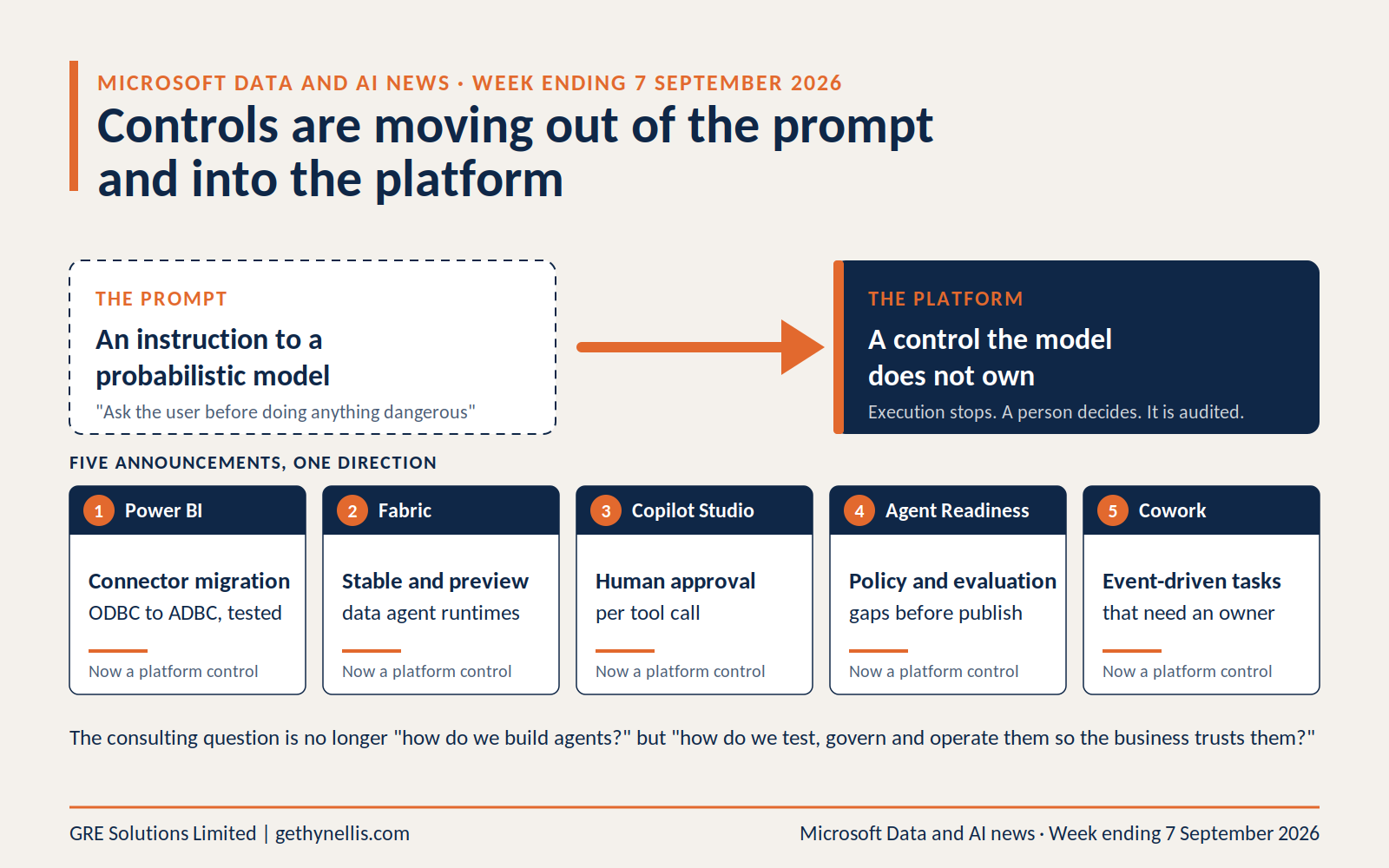
Most weeks in the Microsoft Data and AI news cycle are noise. This one was not. Across Power BI, Fabric, Copilot Studio and Microsoft 365 Copilot, the same pattern showed up in five separate announcements: Microsoft is moving controls out of the prompt and into the platform.
That matters if you run a Copilot rollout, a Fabric estate, or an agent programme, because the question is shifting from “how do we build this?” to “how do we test, govern and operate it well enough that the business trusts it?”
Here are the seven stories I would act on, in priority order, with what I would do about each.
1. Power BI is moving from ODBC to ADBC, and it is a testing problem, not a driver update
Microsoft published updated migration guidance for moving Power BI and Fabric’s embedded ODBC drivers to Arrow Database Connectivity (ADBC) this week. The affected built-in connectors are Databricks, Snowflake, Google BigQuery, Dremio, Impala and Spark.
You can adopt ADBC per connection with Implementation="2.0", set it as the tenant default, or override at workspace level for testing. Microsoft plans to start removing the embedded ODBC drivers from the service in late Q3 to early Q4 2026, with Desktop and gateway drivers following in spring 2027.
The detail that catches people out: gateway-routed refreshes currently stay on the ODBC path. Testing through a gateway proves nothing about how the eventual service path behaves.
What I would do
Add an ADBC readiness check to every Power BI and Fabric estate review now. Validate row counts, data types, refresh behaviour, DirectQuery, authentication, private networking and gateway dependencies in a pilot workspace before the default flips. Microsoft’s pq-adbc-advisor notebook in the Fabric Toolbox will tell you which connections are still pinned to legacy drivers and classify each one by cutover risk.
If you have a large Snowflake, Databricks or BigQuery estate behind Power BI, this is a scoped piece of work with a deadline, not a tidy-up for later.
2. Fabric data agents can now reason through DAX before answering
Fabric’s latest release notes include advanced DAX generation for semantic models in preview. Rather than translating a question straight into one DAX query, the preview runtime plans an approach, inspects semantic model values, checks intermediate results, refines its reasoning and then runs the final query.
Fabric now distinguishes a standard runtime and a preview runtime for data agents. The standard runtime is GA and low churn. The preview runtime receives changes to query generation, orchestration and routing first, and behaviour can change between releases. Microsoft has also moved the orchestrator itself to GPT-5.1 across both runtimes, which it describes as an improvement but explicitly not behaviour-neutral.
This addresses a real problem. Most poor data agent performance I see is not the model failing at DAX. It is ambiguity, thin metadata, and the need to look at actual values before deciding what a business term means.
What I would do
Do not switch production agents to the preview runtime because the demo looked better. A more capable reasoning process is still a changed reasoning process. Build a fixed evaluation set of 30 to 50 questions covering simple aggregation, ambiguous terms, implied filters, time intelligence and multi-step questions, with expected answers. Run it against both runtimes and compare. That evaluation pack becomes reusable IP for every Fabric engagement.
3. Copilot Studio can now require human approval per tool call
This is the governance story of the week. Microsoft has added a Copilot Studio capability to the AI at Work roadmap (feature 570434) that lets makers require human approval before individual tools execute. It is configured per tool, per agent. When a gated call fires, the user sees what the agent intends to do and can approve it, approve it for the session, or deny it. Approval requests appear inline in the channel where the agent runs, including Teams and Microsoft 365 Copilot. Microsoft’s own examples are sending emails, closing tickets and processing payments, and it lists the feature as GA with rollout starting this month.
Compare two approaches. “Ask the user before doing anything dangerous” is an instruction to a probabilistic model. The platform stopping execution and requiring a decision is a control. Only one of those survives a change of model, a bad prompt injection, or an audit.
What I would do
Design an explicit allow, approve, deny model for every agent that can act. Query CRM: allow. Draft a customer response: allow. Update an opportunity: allow with constraints. Send the response or issue a refund: approve. Delete records: deny. Then make the demo in your governance workshop show an agent deciding to act and being stopped by a control it does not own. That lands far harder than an agent politely refusing because its instructions told it to.
4. Agent Readiness pulls evaluation into the build loop
Also rolling out in Copilot Studio this month: Agent Readiness, a visible health indicator showing what could block or compromise publishing, including policy restrictions and missing evaluations. Capabilities blocked by policy surface before the maker spends an afternoon configuring them.
Alongside it, the evaluation experience gains reasoning traces, cited knowledge sources, comparison of evaluation runs, larger and generated test datasets, and better configuration validation. The Copilot Studio what’s new page is the place to track both as they land in your tenant.
What I would do
Stop testing agents by chatting with them. “We tried twenty questions and it looked fine” is not evidence. Every agent project should ship a formal evaluation artefact: known questions, expected behaviours, expected refusals, tool-use tests, security tests and a regression scorecard. If you productise one thing from this week, make it an Agent Evaluation Framework.
5. Cowork event-driven tasks make the operating model question urgent
No headline Copilot release this week, but the late-August Cowork changes are consequential enough to act on now. Cowork supports event-driven tasks that start when matching emails or Teams messages arrive, and local browser use is GA for Microsoft 365 Copilot tenants, operating websites through Edge with the user’s existing sign-ins.
Trace the interaction model: manual prompt, then scheduled prompt, then event-triggered task, then browser action. Each step removes a layer of direct human initiation.
What I would do
Ask who owns a task that watches an inbox, accesses web applications, takes actions, consumes Copilot capacity and keeps running for months after its creator has moved teams. If you already keep a recurring-agent register, add four fields: trigger, frequency, pre-authorised actions, and maximum tolerated impact. If you do not keep one, this is the week to start.
6. Power Platform release tracking moved to the AI at Work roadmap
From September, new Dynamics 365, Power Platform and Dataverse capabilities publish in the unified AI at Work roadmap rather than the twice-yearly release plans. Microsoft explains the change in its post Moving beyond release waves with the AI at Work roadmap. There will be no 2026 release wave 2 announcement, Release Planner retires on 15 November, and historical plans remain available on Microsoft Learn.
It sounds administrative. It is not, if you maintain training material or client roadmaps. Individual capabilities can now appear, move date, begin rollout or disappear at any point.
What I would do
Stop treating roadmap dates as delivery commitments. For anything architecturally important, the sequence is: planned, then preview, then rollout started, then GA everywhere, then confirmed in your tenant. Track that lifecycle rather than copying features from release-wave PDFs into course decks.
7. September’s certification dates give you a proper agent skills ladder
Three dates matter. AB-620T00, Design and build integrated AI agent solutions in Copilot Studio, is a three-day course available from 18 September. AI-500T00, Design and implement multi-agent AI solutions on Microsoft Foundry, is four days from 30 September. AB-6007, Secure and Govern your AI agent workforce, is a one-day course focused on Agent 365, agent identity, data protection and threat monitoring.
Put those together and there is, for the first time, a credible role-based route: business users on Copilot adoption, agent makers on AB-620, agent administrators on AB-6007, AI engineers on AI-500, and data practitioners on Fabric with the new AI-ready data and Fabric IQ learning paths.
What I would do
Treat the official courses as the technical foundation and wrap them in what the courseware does not cover: use-case selection, readiness, operating model, governance and measurement. That wrapper is where enablement differs from training, and where the value sits.
For completeness: no new SQL Server or Azure SQL servicing release this week. SQL Server 2025 CU8 and SQL Server 2022 CU26 remain current. I am not going to invent SQL news to fill a slot.
The thread running through all seven
Power BI gets a controllable connector migration. Fabric separates stable and preview agent runtimes. Copilot Studio can halt a tool call and demand a human decision. Agent Readiness exposes policy and evaluation gaps before publication. Cowork turns prompts into standing automation that needs an owner.
Every one of those moves a control out of the prompt and into the platform. That is the right direction, and it changes the consulting question. Building an agent is no longer the hard part. Proving it is safe, evaluated and governed well enough for the business to trust it with authority is.
If your programme is still measured in licences deployed and demos delivered, this week’s news is your prompt to change the scorecard.
Where does your organisation actually stand?
Most of the actions above assume you know where the gaps are: data readiness, agent governance, evaluation practice, ownership. Many organisations six months into a Copilot rollout do not. The free AI Readiness Assessment takes a few minutes and gives you a structured view across the dimensions that predict whether an AI rollout pays back. Start there, and if the results point to a gap you want closed, the AI Enablement Programme is built to do exactly that.
PakarPBN
A Private Blog Network (PBN) is a collection of websites that are controlled by a single individual or organization and used primarily to build backlinks to a “money site” in order to influence its ranking in search engines such as Google. The core idea behind a PBN is based on the importance of backlinks in Google’s ranking algorithm. Since Google views backlinks as signals of authority and trust, some website owners attempt to artificially create these signals through a controlled network of sites.
In a typical PBN setup, the owner acquires expired or aged domains that already have existing authority, backlinks, and history. These domains are rebuilt with new content and hosted separately, often using different IP addresses, hosting providers, themes, and ownership details to make them appear unrelated. Within the content published on these sites, links are strategically placed that point to the main website the owner wants to rank higher. By doing this, the owner attempts to pass link equity (also known as “link juice”) from the PBN sites to the target website.
The purpose of a PBN is to give the impression that the target website is naturally earning links from multiple independent sources. If done effectively, this can temporarily improve keyword rankings, increase organic visibility, and drive more traffic from search results.